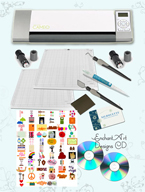
Sandwiches are the way you stack the different plates on your die-cutting machine in order to cut or emboss. Here we are going to see some of the sandwiches that worked for me.
Embossing Sandwiches recipes:
With Cuttlebug Embossing Folders:
- Multipurpose Platform Tab 1
- Standard Cutting Pad
- Cuttlebug Embossing Folder with cardstock inside
- Standard Cutting Pad
With Brass Stencils:
- Mutipurpose Platform Tab 1
- Standard Cutting Pad
- Metal Stencil (backside)
- Cardstock
- Silicone Rubber mat
- Impressions Pad
With Fiskars Plastic Texture Plates :
-
Multi-Purpose Platform Tab 2
-
Fiskars Embossing Template
-
Cardstock
-
Silicone Rubber mat
-
Standard Cutting Pad (not the Impression Pad)
Also, you can try the instructions of Tab 1. Experiment with different combinations since papers and cardstocks are different in thickness and even humidity affect the results.

Tags: big kick, big shot, embossing with big shot, si
I forgot to tell you that I bought the Big Impressions starter kit too. It comes with the Impressions pad, which is thicker than a regular cutting pad. Also, the Silicone Rubber sheet and three two-sided texture plates. You need this kit in order to emboss using the texture plates or brass stencils.
I started to paint again after some time off. I get busy with life and other projects. I got my brushes and paints, I want to finish my three paintings of butterflies on flowers. I love the colors of these creatures and together with flowers they make a perfect combination. Go ahead, paint something today.
Faith enables persons to be persons because it lets God be God.
Carter Lindberg
Yesterday I received my Big Kick. The box was heavier than I thought. Good! My machine is red and white, sturdy, sits well on the table. Now, it was time to understand how to make the sandwiches for embossing. I tried everything that I had: Fiskars, Cuttlebug folders, metal embossing plaques, thin stenceling sheets, etc. I will be posting the results of all that. So far, I love this machine, after all the research about die cutting machines, I think I got the best for me.
“The best things in life are not free, just priceless”
Tags: big kick review, cuttlebug, die cut machine, Sizzix
I just bought my Big Kick die cut machine from Joanns.com and I’m wainting for it. I am not too interested on the die cutting part but in the embossing. Why I chose the Big Shot over the cute green bug Cuttlebug machine? The Big Shot is sturdier and accepts all dies and embossings from other brands.
I love texture but I don’t like to texture using my Fiskars texture plates, it takes too long and too much effort. Sometimes you have to treat yourself and the Big Shot is my little treat … for now.
I would let you know how it works on later posts.
Tags: Big Shot and Cuttlebug, die cut machine, dry embossing
Writers experience sometimes what is called “writer’s block”. Painters may have the same problem sometimes. What to do? I would recommend:
- Breathe. Take a big breath, relax, put your mind blank. Close your eyes and let good thoughts come to your mind. Grab them and put color to them.
- Think about how are you feeling. Happy? Sad? Angry? Grab your colors and brushes, it’s time to give those feelings some form and texture.
- If nothing comes to your mind, get a nice inspirational photography book and let the images bring new ideas.
- Sketch. Just grab a pencil and start doodling. You are going to be surprised with what you already had in your mind.
Tags: painter's block, Painting, Painting ideas
I really enjoy scrapbooking the photos of my family. Join me to create great layouts. I will post how to use Microsoft Word to create effects and more. Also, Photoshop and Photoshop Elements tricks specifically for scrapbookers. Fun, fun, fun!!!!
Tags: digital scrapbooking, photoshop elements for scrapbooking, word for scrapbooking
Image, Image Size. In the Image Size dialogue box, change the units from Pixels to Percent. Type 110% for the Width and Height. The Resample Image box should be checked and use Bicubic. Then you would repeat the command as many times as it takes until you get to the size you need.
Tags: how to resize a picture, image resolution, photoshop, resizing an image
Welcome to my blog!